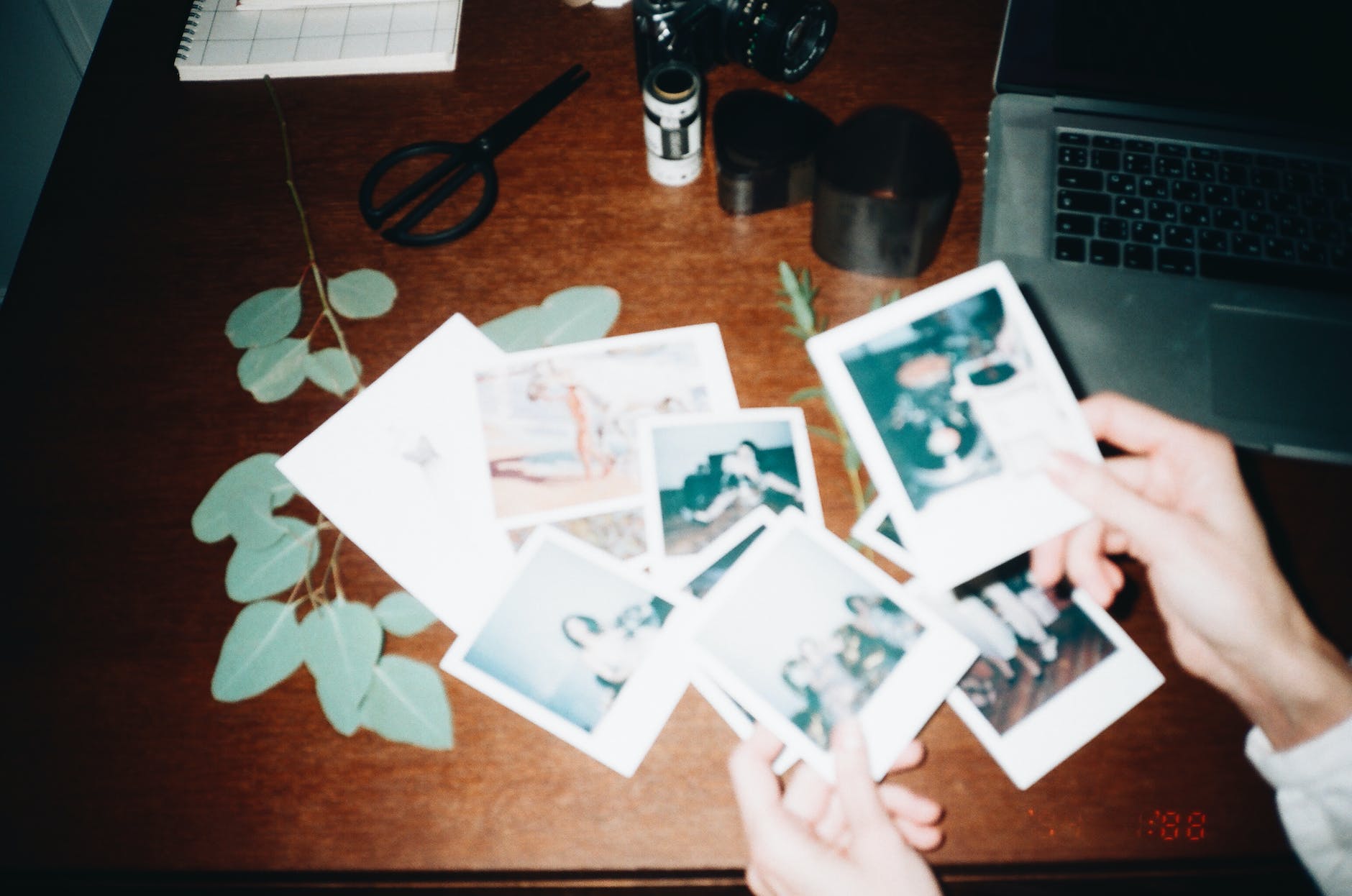
My Favorite Way To Showcase And Sell My Photos

Photo by cottonbro studio on Pexels.com

As a person who’s juggling multiple photography genres—events, portraits, real estate, photojournalism, and even branding keeps my life, exciting but my digital storage is a chaotic mess. I constantly need a platform that can seamlessly adapt to my diverse clientele, offer secure client galleries.

Disclaimer: We earn commissions if you shop through the links below

 That’s where SmugMug steps in. It’s become my secret weapon for showcasing my work, streamlining client interactions, and keeping my sanity intact, even when faced with a room full of hungry realtors and a mountain of photos.

For photographers, both budding and professional, the online world can feel like a cluttered attic. There are a million places to store photos, a labyrinth of ways to share them, and a constant worry about keeping your work safe. But what if there was a platform designed specifically for photographers, with all the bells and whistles you need to showcase, store, and even sell your work? Enter SmugMug.

SmugMug isn’t just another photo storage locker. It’s a comprehensive suite designed to empower photographers at every level. Here’s a peek into the treasure trove of benefits that await you on SmugMug:

1. Unleash the Packrat: Unlimited Storage

The most significant advantage of SmugMug is its unlimited photo and video storage. No more agonizing over which photos to keep and which to delete. Here, you can store your entire collection, from those grainy childhood vacation pictures to your latest masterpieces. Sleep soundly knowing your memories (and your skills!) are safe and sound.

2. Organization Nirvana

Imagine a world where finding that perfect sunset picture doesn’t involve scrolling through endless folders. SmugMug offers a robust organization system that allows you to categorize your photos with ease. Create galleries based on theme, location, date, or any other criteria that suits your fancy. Plus, powerful search functionalities help you unearth that elusive photo in seconds.

3. Sharing Made Simple (and Secure)

SmugMug understands the importance of sharing your work. With SmugMug, you can create beautiful, customizable galleries to showcase your photos to friends, family, or the entire world. You have complete control over who sees what, with password protection and privacy settings for individual galleries or your entire site.

4. A Website Built for Your Photos

Forget clunky website builders and generic templates. SmugMug offers a user-friendly website builder specifically designed for photographers. Drag-and-drop functionality allows you to create a stunning website that reflects your unique style and complements your portfolio. This is your chance to build a professional online presence without any coding knowledge.

5. E-commerce Avenue

Are you ready to turn your passion into profit? SmugMug makes it easy to sell your photos directly through your website. Set your own prices, offer prints and digital downloads, and even manage customer orders – all within the SmugMug platform.

6. Farewell, File-Transfer Fiascoes

SmugMug offers a plethora of upload options, making it a breeze to get your photos from your device to your online gallery. Upload directly from your computer, phone, or tablet, or leverage integrations with popular photo editing software like Adobe Lightroom.

7. Security You Can Trust

In the digital age, protecting your work is paramount. SmugMug takes security seriously. Their platform offers advanced features like password protection, hotlink prevention, and watermarks to safeguard your photos and prevent unauthorized use.

Start selling your photos online. Click here!

8. A Community of Shutterbugs

SmugMug fosters a vibrant community of photographers. Connect with fellow photography enthusiasts, share tips and tricks, and get inspired by the work of others.

9. Farewell, Frustration

SmugMug prides itself on its user-friendly interface. Whether you’re a tech-savvy professional or a weekend warrior just getting started, SmugMug’s intuitive design makes it easy to navigate and manage your photos.

10. A Platform That Grows With You

SmugMug offers a variety of tiered plans, allowing you to choose the one that best suits your needs and budget. As your photography journey evolves, SmugMug can evolve with you. Upgrade your plan to unlock additional storage, advanced features, or e-commerce functionalities.

Start selling your photos online. Click here!

In Conclusion

SmugMug isn’t just a photo storage solution; it’s an empowering platform designed to elevate every photographer’s experience. With its comprehensive feature set, from organization tools to e-commerce capabilities, SmugMug empowers you to take control of your photographic journey. So, ditch the photo clutter and unlock the full potential of your work with SmugMug.

Are you ready to take the plunge? Sign up for a free SmugMug trial today and discover the photographer’s paradise that awaits! (Please note that SmugMug does not currently offer a free plan, but they do offer a free trial.)

Get Your Free Trial Now

Thanks for reading,
Michael D Thomas Elite Property Images

Disclaimer: Links included in this description may be affiliate links. If you purchase products using the links included I may receive a commission however, there is NO additional charge to you. I am not a financial advisor nor am I a psychologist, I share information that I have used successfully or that others that I am aware of have used. If you opt to use anything I share you do so at YOUR OWN RISK and you take full responsibility for the outcome. Any advice and information shared on my channel is general only and is being shared without taking into account your particular circumstances and needs. Before acting on any advice shared you should assess or seek advice on whether it is appropriate for your needs, financial situation and investment objectives

Snap Happy: Mastering the Art of Looking Your Best in Photos

Photo by Ketut Subiyanto on Pexels.com

Let’s face it, photos can be daunting. But fret no more! With a few simple tricks, you can transform from feeling photo-shy to striking a pose with confidence. Here’s your guide to looking fabulous in every frame:

  • Find Your Light: Lighting is Key! Harsh overhead light creates unflattering shadows. Opt for diffused natural light, like during the “golden hour” (early morning or late afternoon) or on a cloudy day. If indoors, find a well-lit spot with soft light.
  • Work Your Angles: Everyone has a good side (or two!). Experiment in the mirror to discover the angles that flatter your facial features and body shape. A common trick? Tilting your chin down slightly and turning a touch to the side creates a slimming effect.
  • Pose with Purpose: Ditch the stiff standing pose. Try leaning on a wall, placing one foot slightly in front of the other, or gently elongating your neck by bringing your chin up slightly. Play with different poses to find what feels natural and flatters your figure.
  • Dress to Impress (the Camera): Clothes can make a big difference. Choose well-fitting outfits that flatter your body type. Solid colors generally photograph better than busy patterns, and darker colors can create a slimming effect.
  • Accessorize Wisely: Don’t overdo it! A statement necklace or pair of earrings can add personality, but too much can overwhelm the photo. Keep it simple and classic.
  • Smile with Your Eyes: A genuine smile reaches the eyes. To avoid squinting, try slightly squinting your eyes or picturing something funny to bring a natural, warm smile to your face.
  • Embrace Candid Moments: Sometimes the most captivating photos are the candid ones. Relax, have fun, and let your personality shine through. Genuine laughter and unposed moments often create the most beautiful and memorable pictures.
  • Post-Processing Power (Optional): Don’t be afraid of a little editing! Many smartphones and photo editing apps offer basic tools to adjust lighting, crop the image, or soften blemishes. Use them to enhance your photos, but remember, moderation is key.

Remember, confidence is your best accessory! Relax, have fun, and focus on capturing the joy of the moment. With these tips and a little practice, you’ll be a photo pro in no time!

What DO PHOTO ORGANIZERS DO?

Photo by George Milton on Pexels.com

Here’s The Answer

Well, it’s time to stop the guilt and turn to a professional for help.

With today’s popular DIY lifestyle, many people want to start (and finish) home projects to better declutter and organize their lives. Sounds great, right? But what happens when your free time to DIY gets interrupted by work, family, errands, and housekeeping? Well, if you’re like most people, the DIY projects unfortunately get put on the back burner. Before you know it, six months have passed by and that old shoebox filled with photos is still sitting in the closet and hasn’t been opened, let alone organized.

Photo organizers are professionals who bring a detail-oriented, analytical mindset to your family photo archiving projects. I will guide you through the process of sorting, culling, and managing photo collections. Whether you just need a simple system to sort and organize your photos or a full-scale software implementation that archives a lifetime of photos, VHS, film, negatives, and slides, I can help. As a professional photo organizer, my areas of expertise include sorting digital and analog photos, creating traditional and digital albums, digitizing analog family photos, converting old media into current formats, crafting gifts, implementing backup systems, and conducting photo organizing, memory photo books, and smartphone workshops.

Organizing boxes of printed photos is a major project. Why would you want to take this on alone? It’s realistic and honest to recognize that you need some help with a project like this. Give yourself permission to outsource your photo archiving projects; it will take that extra weight off of your shoulders.

I will help motivate you, keep you on track, and hopefully bring a sense of fun and relief to an otherwise daunting task.

Now, let’s talk money. Prices for professional photo organizing services are always based on the time needed to complete your project.

The larger your needs are, the more time will be needed to organize and/or scan your photos, watch your VHS’s, and create a backup system perfect for you. In order to determine how much time we will need to complete your project, I will need to know the following:

  • The number of photos, VHS, slides, negatives, and film. This will include both print and digital photos.
  • How many different devices do you use for taking and storing photos? For example: smartphone, laptop, External Hard drives, Memory cards, photo albums, shoebox, etc.
  • How organized (or disorganized) you currently are. Sorry, I know this one will be hard to talk about, but it’s important to be honest with me. I promise we are in a judgment-free zone.
  • The scope of your project. What is your long-term goal? What are we working towards?

Our family photos are priceless and irreplaceable. When you ask most people what they would rescue first if a house fire threatened their homes, most people have “family photos and memories” at the top of their lists. Where are your memories being kept right now? Are they safe?

Still have questions? Good!

Call me today and let’s talk about your project and how I can help you preserve your memories.

Michael D Thomas

empirebeatmedia@gmail.com

7 STEPS TO ORGANIZE & ARCHIVE YOUR PHOTOS

Photo by Inga Seliverstova on Pexels.com

Unleash the Photo Genie: 7 Steps to Taming Your Image Jungle

Face it, your photos are a chaotic mess, trapped in a digital dungeon or buried under dust bunnies in forgotten albums. Fear not, brave adventurer! With these 7 steps, you’ll be Indiana Jones-ing your way to photo organization nirvana.

Step 1: Declare Your Quest!

What’s your photo endgame? Share memories with future generations? Craft a killer graduation slideshow? Or maybe blackmail your teenage self (just kidding… mostly)? Knowing your goal will guide you through the organizational jungle.

Step 2: The Great Photo Roundup

Time to wrangle your photographic beasts! Scour every nook and cranny – attics, closets, even that embarrassing box in the garage labeled “Grandma’s questionable fashion choices.” Don’t forget to raid family members for hidden photo treasures.

Step 3: Gear Up Like a Pro

Think of yourself as a photo archaeologist. You’ll need acid-free albums (think luxurious hammocks for your pics), photo-safe pens for labeling (no Sharpies allowed!), and soft cloths for gentle cleaning (dust off those memories!). Bonus points for a scanner (your digital genie) and photo organizing software (your magic map).

Step 4: From Chaos to Categories

Imagine your photos as a disorganized library. Time to sort them! Chronological order is cool, but themes like holidays or “Aunt Mildred’s questionable hats” work too. This is where your inner Marie Kondo sparks joy (or throws shade at blurry selfies).

Step 5: Album Amnesty: Friend or Foe?

Those magnetic albums from the 80s? They might be secretly damaging your photos. Consider transferring them to safer havens (acid-free albums, here we come!). But sentimental vintage albums get a pass – let them tell their stories.

Step 6: Scan and Conquer!

Scanning is like giving your photos superpowers – digital immortality! Choose your scanner wisely, like a trusty steed. Flatbeds handle delicate pics, while feeders chomp through big batches. Remember, budget-friendly doesn’t always mean low quality. Do your research, photo warrior!

Step 7: The Digital Fortress

Think of this as Fort Knox for your memories. Acid-free boxes and albums keep your physical photos safe, but don’t forget digital backups! Cloud storage, external hard drives, or photo storage devices – choose your digital vault wisely. Remember, redundancy is key – a double dose of protection for those precious moments.

Bonus Tip: Back up regularly! Disasters happen, and you don’t want your memories to become dust in the digital wind.

So there you have it, photo wranglers! With these steps, you’ll be organizing your photos like a boss, unearthing hidden gems, and reliving memories that’ll make you laugh, cry, and maybe cringe (but in a good way). Now go forth and conquer your photo jungle!

Panic Not, Photo Fiend! 7 Hilariously Easy Steps to Save Your Snaps from Disaster

Photo by Julia M Cameron on Pexels.com

Remember that time Uncle Doug did the Macarena at your wedding reception? Or that epic selfie with the llama in Peru? Yeah, irreplaceable moments. But what if your phone nosedives into a latte, your computer throws a tantrum, or the cloud Gods decide to rain data deletion?

Fear not, photo fanatic! I’m here to be your digital guardian angel with 7 ridiculously simple steps to back up your memories and prevent a photo apocalypse.

Step 1: Photo Boot Camp

Imagine your photos are adorable kittens. You wouldn’t leave them scattered around the house, right? So gather them all! Scour your devices like a detective for those precious pixels. External drives, dusty thumb drives, even that cloud storage you haven’t touched since 2012 – no stone (or byte) unturned!

Step 2: The Backup Buffet

Think of your backup options like a delicious buffet (because backing up shouldn’t be boring!). We recommend the 3-2-1 approach: 3 copies, 2 media types, 1 off-site.

  • External Hard Drive: Your trusty sidekick for local storage. Bonus points if you store it at your grandma’s house – natural disaster insurance included (hopefully!).
  • Cloud Storage: Think Google Drive, Dropbox, or iCloud – your photos are always a click away. Just remember, privacy might be an ingredient you have to pay extra for.
  • NAS (Network Attached Storage): Basically a fancy home server for your digital goodies. Think of it as your own personal cloud, minus the nosy neighbors.
  • Secondary Computer: An extra device to store your photo treasures. Just don’t let your goldfish use it as a chew toy.

Step 3: Automate, Automate, Automate!

Remember that time you swore you’d go to the gym every day? Yeah, me neither. That’s why automation is your BFF. Set up regular backups with your cloud storage – it’s like magic, but with less smoke and mirrors!

Step 4: Backup Software to the Rescue!

Imagine a superhero sidekick for your backups. That’s backup software! We use Backblaze (because let’s face it, fighting data dragons is tiring), but there are many options out there.

Step 5: Backup Drill! Is This Thing On?

Just like a fire drill, test your backups regularly. Restore a few photos, make sure they’re not corrupted gremlins, and breathe a sigh of relief.

Step 6: Repetition is Your Friend (Seriously!)

We can’t stress this enough: BACK UP MULTIPLE TIMES! It’s like having 3 parachutes when skydiving – just in case one (or two) gets caught in a rogue squirrel’s nest.

Step 7: Sync vs. Backup: Know the Difference!

Syncing is like a two-way street – delete a photo on your phone, it’s gone in the cloud too (oops!). Backing up is a one-way ticket to safety – your chosen photos get copied, no deletions allowed.

Remember: Backing up is like flossing – not the most exciting activity, but it saves you a world of trouble later. So grab your metaphorical floss (or external hard drive), and start protecting your memories today! Because let’s be honest, nobody wants to explain to their grandkids why there are no pictures of Uncle Doug’s legendary Macarena moves.